
SmartFax2002 - Download
You'll be able to download in few seconds.
Publisher Description
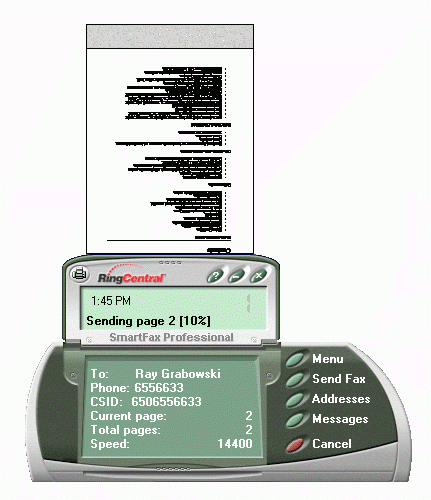
SmartFax 2002 is an easy-to-use and powerful fax software package that turns your PC into a complete fax messaging system. Advanced faxing and messaging capabilities make SmartFax the perfect companion for both mobile and stationary PC users.
SmartFax 2002 is fully compatible with Microsoft Windows XP and Office XP software.
Now integrated with Microsoft Outlook and Outlook Express** and Windows Messaging, SmartFax allows both your fax and e-mail messages come together in one common "In-Box" making it a great unified messaging solution. SmartFax 2002 software is now THE ONLY SOFTWARE IN ITS CATEGORY that is able to synchronize directly with Microsoft Outlook Express! Outlook Express comes pre-installed with every release of Windows starting with Windows 95, and is the world's most popular Personal Information Manager and Email client application. With SmartFax 2002 you can send faxes directly to your Outlook Express Contacts. You can also work with your incoming faxes directly from Outlook Express folders. It's seamless!
Fax Editor with Scanner Support (TWAIN interface): our unique fax editor allows you to select one of several pre-defined cover pages. You can annotate your faxes, design your own cover pages, import your company's logo, and sign your fax with an electronic signature. Our new scanner module supports most popular scanners through the industry-standard TWAIN interface. Load up your scanner, hit the "Scan" button on SmartFax 2002, and see a new scanned document added to our gallery. Scan your own custom cover pages, use SmartFax 2002 to fax out materials that you only have in hardcopy.
About SmartFax
This program is available in English. It was last updated on 29 September, 2026. SmartFax is compatible with the following operating systems: Windows.
The company that develops SmartFax is Pingram Marketing. The latest version released by its developer is 2002.
The download we have available for SmartFax has a file size of 19.9 MB. Just click the green Download button above to start the downloading process. The program is listed on our website since 2003-01-01 and was downloaded 0 times. We have already checked if the download link is safe, however for your own protection we recommend that you scan the downloaded software with your antivirus. Your antivirus may detect the SmartFax as malware if the download link is broken.
How to install SmartFax on your Windows device:
- Click on the Download button on our website. This will start the download from the website of the developer.
- Once the SmartFax is downloaded click on it to start the setup process (assuming you are on a desktop computer).
- When the installation is finished you should be able to see and run the program.
Program Details
System requirements
Download information
Pricing
Version History
version 2002
posted on 2003-01-01
NEW: Windows XP support
NEW: Integrates directly with Microsoft Outlook and Outlook Express
NEW: Optical Character Recognition (OCR) module let\'s you convert faxes directly into Word, Excel or text files (Professional version ONLY)
NEW: Create fax attachments from paper documents by using your TWAIN-compatible scanner
Disclaimer
External Download
We do not host SmartFax on our servers. We did not scan it for viruses, adware, spyware or other type of malware. This app is hosted by the software publisher and passed their terms and conditions to be listed there. We recommend caution when installing it.
The external download link for SmartFax is provided to you by apps112.com without any warranties, representations or guarantees of any kind, so access it at your own risk.
If you have questions regarding this particular app contact the publisher directly. For questions about the functionalities of apps112.com contact us.
